Project Life

Project Life: March’16

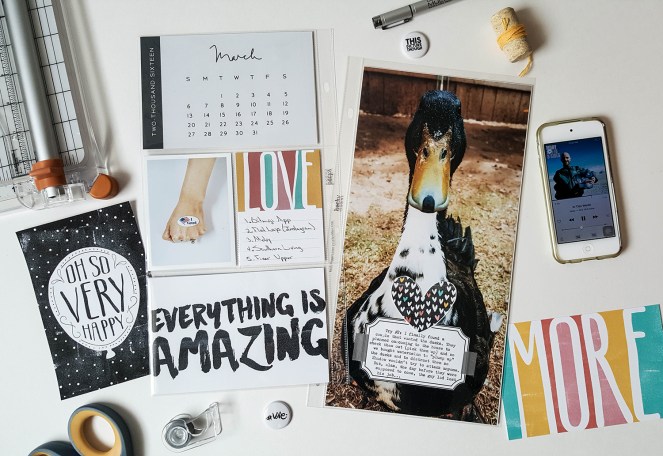
Hello everyone! Today I am sharing my first two layouts for March. I was planning on sharing them sooner but you guys know my situation, no internet and no craft area equals a sucky situation. Anyway, the reason I bring that up is because when I made these layouts, we still had the ducks and I was able to take this awesome photo of Shadow (before he tried to bite me). So cute (ducks can do no wrong in my eyes)!

Here is a before and after of the picture:

For the first layout I used Becky Higgins Pocket Pages Design H and 6×12. I’m still using the Project 52 2016 Calendars for my monthly cover, and I used cards from the This and That Digital Value Kit. I LOVE this kit!!!

20160515_123830


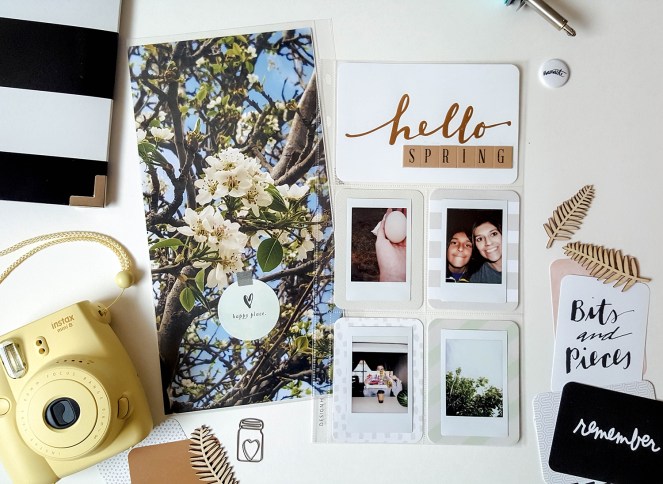
On the second layout I used the same Pocket Pages, but I used my fuse tool to make the bottom 4×6 into two 4x3s. For this layout I used the Everyday Edition Core Kit as backgrounds for my Instax pictures. I had my two 6×12 pictures printed at Persnickety Prints.

20160515_125246

That is it for now. I hope you guys enjoyed today’s post and I hope to be back with some more layouts soon!

Project Life

Project Life: February’16 (Part Two)

Hi there! I hope you guys had a nice Easter weekend!

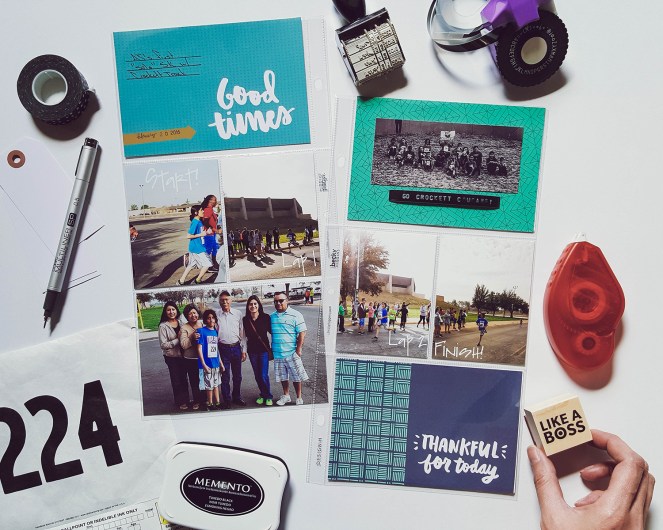
Today I am sharing my last two Project Life layouts for the month of February. I was really excited to hear Christine Herrin had designed a kit for Becky Higgins, I love all her designs. The “Wander” core kit was perfect for documenting AJ’s first solo marathon.

Project Life February '16 3

I’m trying to embrace my handwriting… Still not loving it, doesn’t look as good as other people’s handwriting (ahem, Kelly Purkey) but it’s unique in it’s own way…

For my next layout, I went with the Becky Higgin’s “Currently” core kit. This kit was designed by Peppermint Granberg, another favorite designer of mine. I love the colors and patterns on this kit.

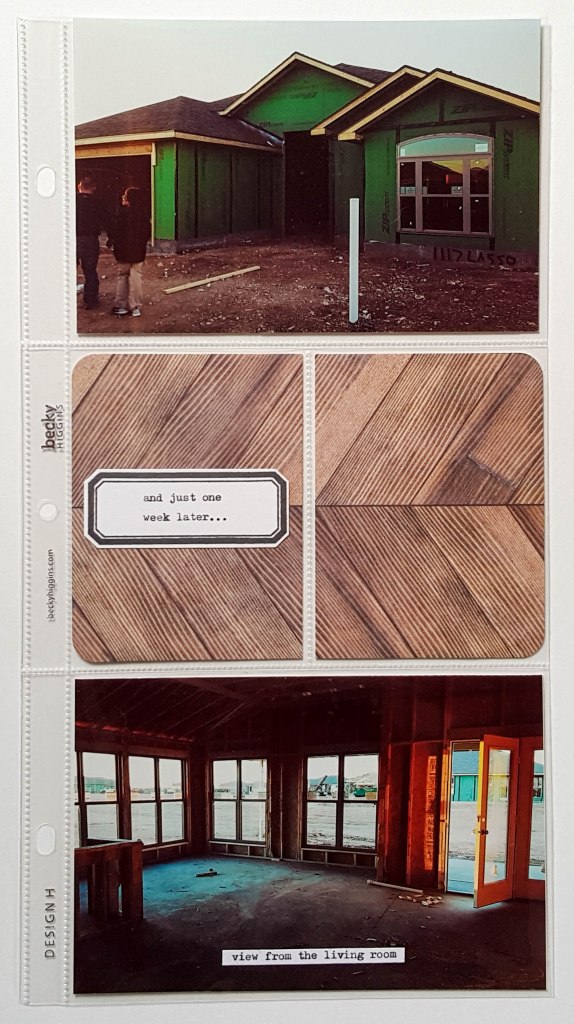
This layout shows the progress on our new house and AJ’s first driving lesson. The ampersand flair button I used for this is from Scrapbook and More, designed by Janna Werner.

Project Life February '16 4

Both layouts were made using photo pocket page design H. Design H has been my “go-to” lately, you’ll see more of them on my next post.

I hope you guys enjoyed, see you guys next time!

Project Life

Project Life: February ’16 (Part One)

Hi there! Today I am sharing a couple of my February Project Life layouts. I had fun trying out new pocket pages and playing around with pictures.

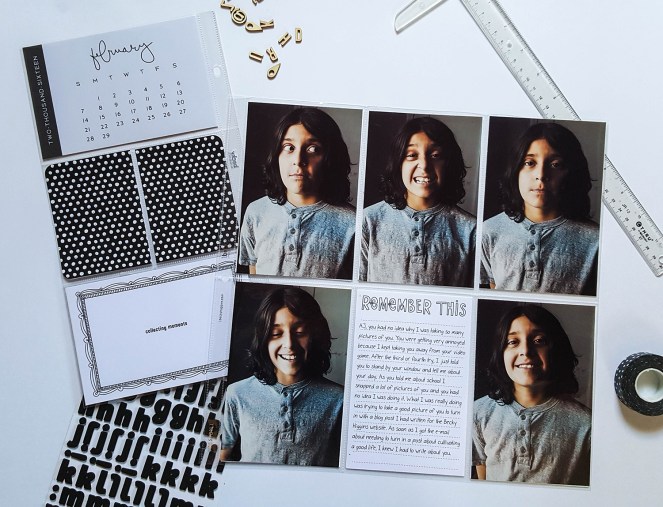
For my first layout, I used Becky Higgins’ Pocket Pages H and L. Also from Becky Higgins, is the Project 52 2016 Calendars, which I’m using this year for my monthly cover photos. I took a bunch (around 60) of pictures of AJ, it was so hard to photograph this boy. We tried so many poses and different backgrounds until finally we were both just so tired of it. But, I had to give it one more try and told him to tell me about his day and he had no idea I was taking these pictures. I picked my favorites and journaled on a digital card from the High Five Kit from BH.

20160313_130312

For my next layout, you guys know I love listing my “faves”, and I wanted to do that here but I wanted to try something new. Instead of just listing my faves, I took pictures of them. I wanted this layout to look fun and funky so I tried to incorporate my hands in as many of the pictures as I possibly could.

20160313_141231

My “faves” this month were:

Beyonce (duh!)

Def Leppard (Two words: Love Bites, and this in no way reflects my real life, I have to throw that in there in case the hubby reads this.)

Deadpool (I love comic book movies and this is the best!)

The Bachelor (#TeamLauren)

Birthday Presents (I got two charms, and the two Harry Potter books I was missing.)

So there you have it, my first couple of pages. I’m still working on my last layout for February so be on the lookout! Hope you guys are having a great weekend!

My Favorites · Uncategorized

February ’16 Top 5

Hello again! I’m a little late on posting my February Top 5 but I have been enjoying spending time outdoors. We have been having beautiful weather out here in west Texas, plus we’re getting a lot closer to moving into our new house. So fingers crossed that everything goes well!

For this Top 5, I am listing my 5 favorite Adobe Lightroom Presets. I use Lightroom to edit ALL my pictures that I use for Project Life. I found these presets on Pinterest and I know there is a lot more out there that I have yet to discover. Most of the presets I use are free but there are a couple I paid for.

If you don’t have Lightroom, they do offer you a free 30 day subscription. After my free subscription was over I had no problem paying for a monthly subscription. I am definitely not an expert with this software but I feel like I have learned enough to play around with my pictures and I’m satisfied with how they come out.
Feb Top 5

1. Catch A Fire Preset

Catch A Fire 1Catch A Fire 2

The Catch A Fire preset is free, and if you click on the link above, it’ll take you to an awesome website, LookFilter, that offers 27 free Lightroom presets.

This is my black & white go-to, I just love the vintage feel to it. Almost all my black and white photos have been edited with this preset.


2. La Tuna Preset

This preset is also available in the LookFilter website. Again, I love the vintage feel to this, I love using this preset on portraits. This is also free!

3. Warm Retro Preset

Warm Retro 1Warm Retro 2

If La Tuna is a little too dark for my picture, I end up using Warm Retro. This preset is from a different site that also includes free presets, Preset Love. You guys might remember this picture from one of my Project Life layouts from last year.

4. Blood Brothers

Blood Brothers 1Blood Brothers 2

As much as I love a good vintage feel on my photos, I also love when pictures pop. I love all the detail and color you get with this preset, which you can also find for free on LookFilter.

5. Dragan Inspired Presets

And last but not least, the Dragan Inspired presets. Yes, I meant presets and not preset. I paid about $20 for this bundle which includes 58 presets, and I do not regret it at all. I use these presets on the majority of my pictures. I used two of the presets in this bundle for the photos above, I usually use about 2-4. It might sound a little daunting but it’s very easy to use.

I have made a couple of my own presets but definitely nothing like the ones I mentioned here. Please let me know what you guys think, I would love to hear what you do with your PL pictures, do you edit? If so, what do you use? What are some of your favorite presets?

Thanks for stopping by!
 

Project Life · Uncategorized

Project Life: January ’16 (Part Two)

Hey guys! Today I’m sharing the rest of my January Project Life layouts.

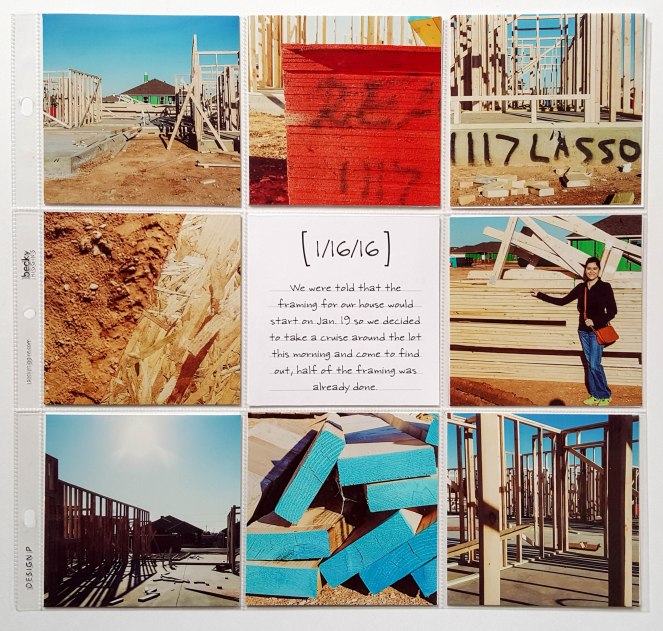
I have always wanted to use the Design P pocket page for one of my layouts so I decided to use one with these pictures I took of our new house. The center is a 4×4 card from the Stampin’ Up Moments Like These digital set and I typed on it using the Becky Higgins Jonathan Font. (I am LOVING digital sets right now!)

20160214_110114-2

For this next page, I used the Becky Higgins Everyday Edition and Cottage Living paper packs and some Kellie Stamps. These are just random photos I took during January.20160214_110222-2

And last but not least, I used a Design H pocket page to end the month and a 4×6 card from the Cottage Living Core Kit and one of Kelly Purkey’s label stamps.20160214_110040-2

As you can tell, we’re pretty excited about the new house, fingers crossed that everything goes as planned!

So as you can see, I am loving mixing and matching pocket pages. There are still more techniques I want to try and play around with and I hope I get to try those soon.

Thank you for stopping by!